ePUB: The Language of eBooks —A Primer
This is a guest post from Iris Febres, a graduate student in electronic publishing at Emerson College. It is based on a PowerPoint presentation she did in her class that was also a Tweetsentation during #ePrdctn Hour.
So . . . what is EPUB?
EPUB as a Standard
An EPUB file is defined by three specifications:
- Open Container Format (OCF): The OCF specifies the order of the files in an EPUB (the structure of the file)
- Open Packaging Format (OPF): The OPF defines the contents of the file as well as its appropriate metadata (the information about the file and what’s in it)
- Open Publication Structure (OPS): The OPS specifies the physical contents of the eBook (the actual content—what you view)
EPUB in a Nutshell
If the .epub file is a Web site, the the ePUB Reader or eReader, the device or software app is, in essence, a browser. And like our favorite browsers (i.e. FireFox, Safari, Opera), different readers will interpret a given EPUB file in different ways . . . much to our chagrin.
Here is an example of how three different eReaders—Adobe Digital Editions (ADE), NOOK Study software, and iBooks on an iPhone—display the the table of contents of Reflections: Writing, Service-Learning, and Community Literacy:
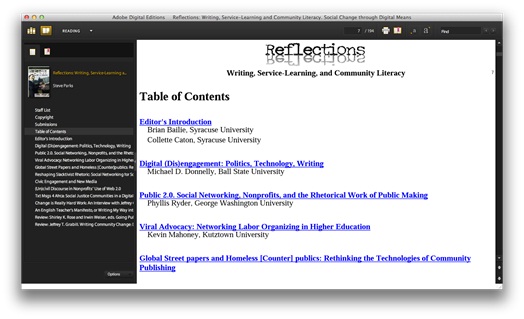
TOC rendered on Adobe Digital Editions (ADE)

TOC rendered on Nook Study software
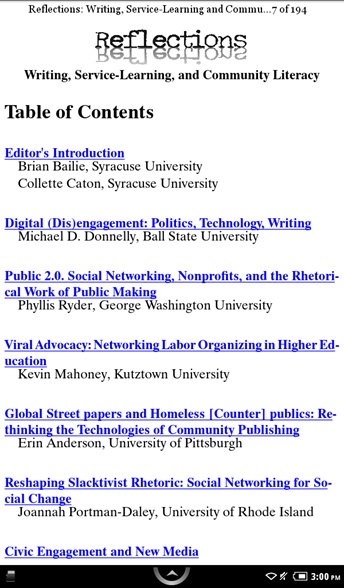
TOC rendered on iPhone
Components of an .EPUB File
An .epub file contains three primary files and folders zipped together:
mimetype (file)
The mimetype is a simple ASCII text file with a single line of text. It should not be in a folder. The mimetype file tells the operating system of the eReader how the eBook is formatted—the MIME type. All mimetype files in ePUBs should be the same: application/epub+zip.
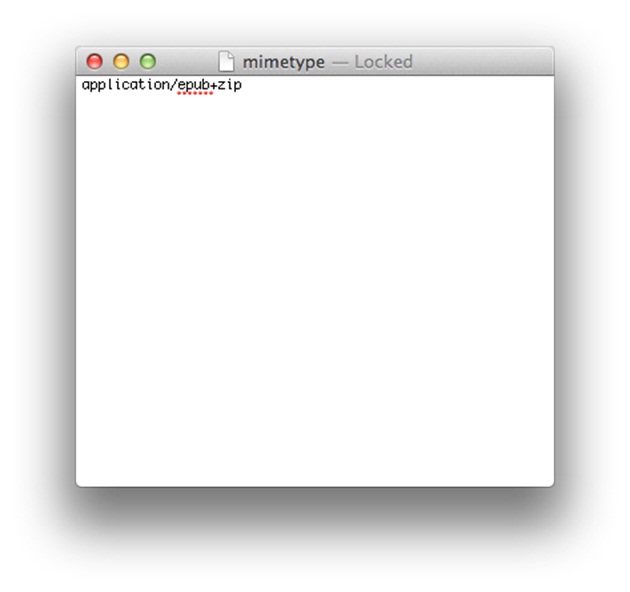
mimetype file
META-INF (folder)
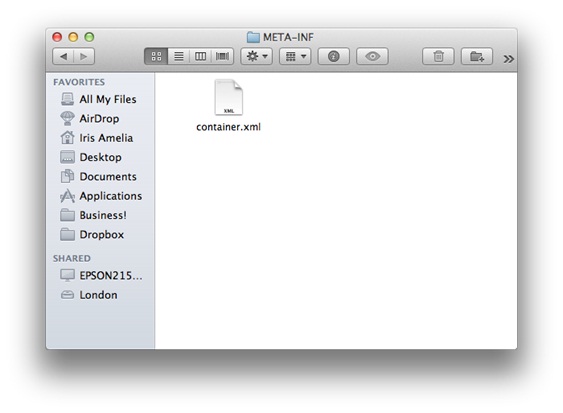
- META-INF folder
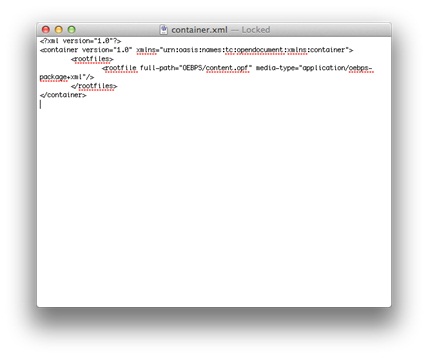
container.xml file
OEBPS (folder)
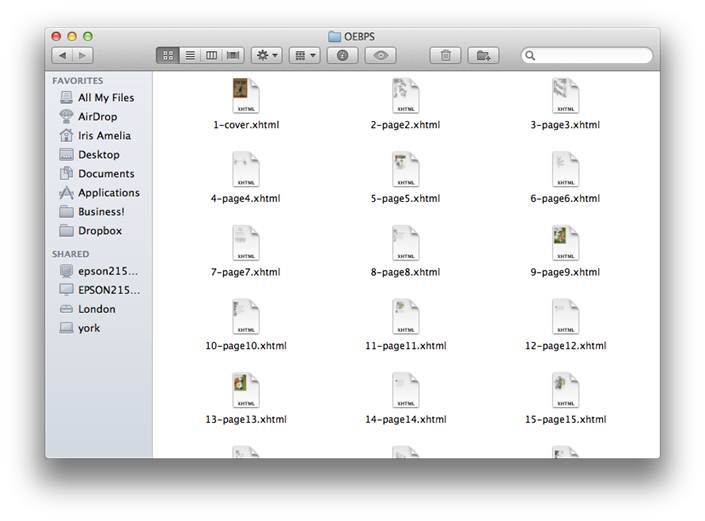
OEBPS folder
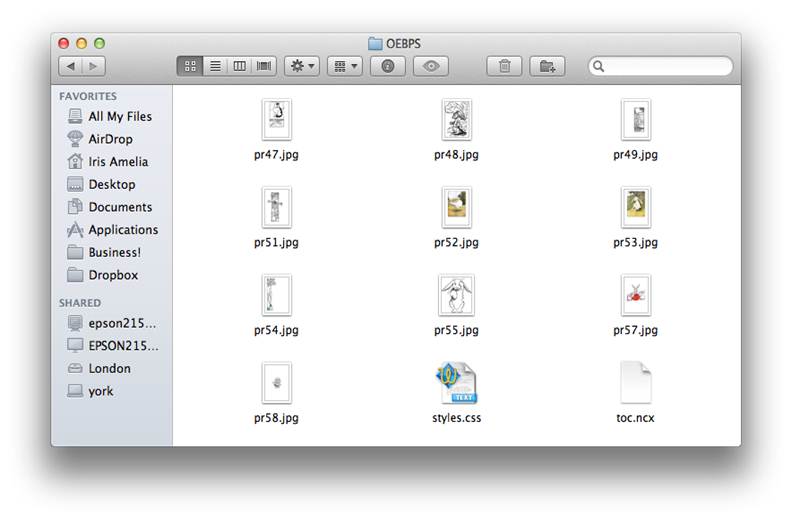
Image files in OEBPS folder
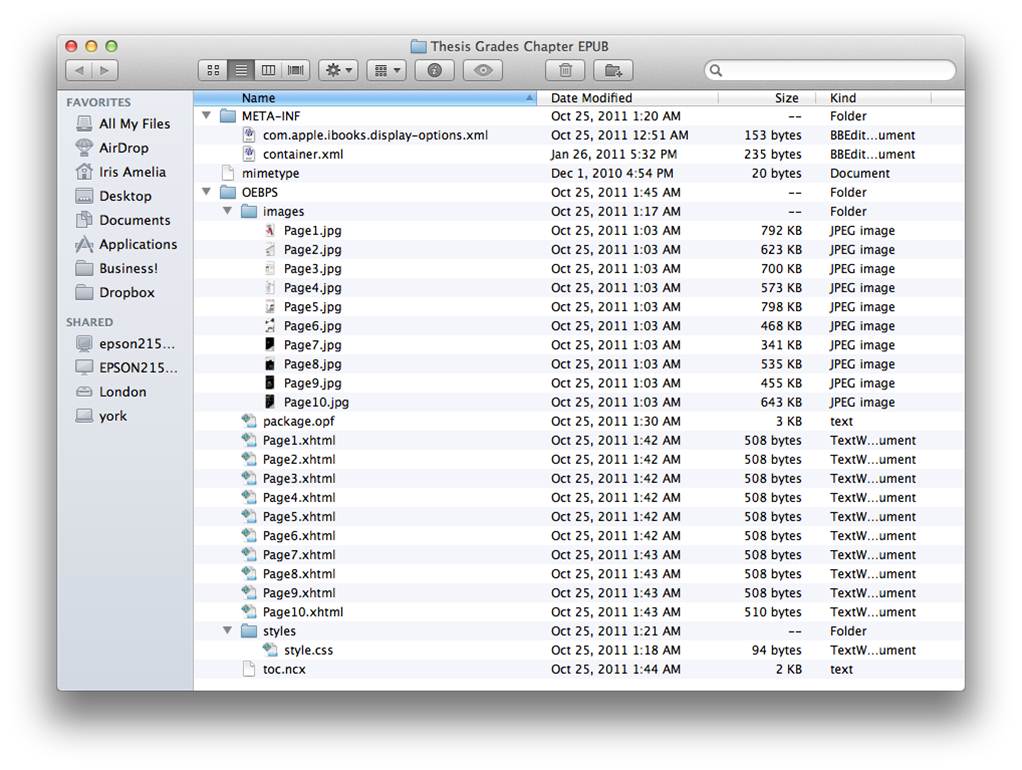
An OEBPS folder expanded to show all the file details
.opf (file)
- <metadata> This sections contains all the metadata about the ePUB—title, subtitle, language, ISBN, author, description, subjects, publisher, publication date, copyright, price, and cover—markup up in DublinCore (dc:).
- <manifest> The manifest is a list of all the files included in the OEBPS folder except the .opf file. This includes the .ncx, the .css, .html/xhtml files, image files, font files, and anything else include in the ePUB.
- <spine> The spine is a list of all the “chapters” or .html/.xhtml files in the OEBPS in the order in which they should open as a reader goes through the ePUB.
- <guide> The guide section identifies some specific files that are used by eReaders, namely the cover and table of contents.
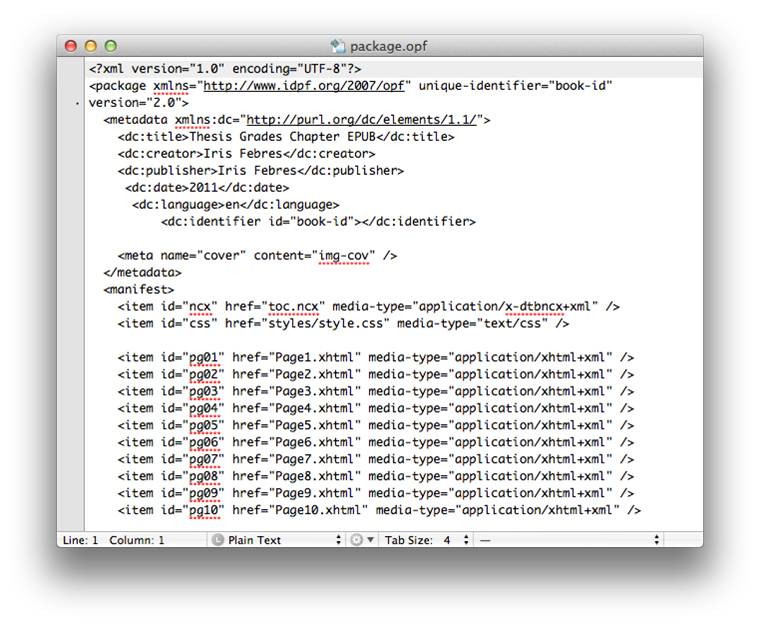
package.opf or content.opf file
.ncx (file)
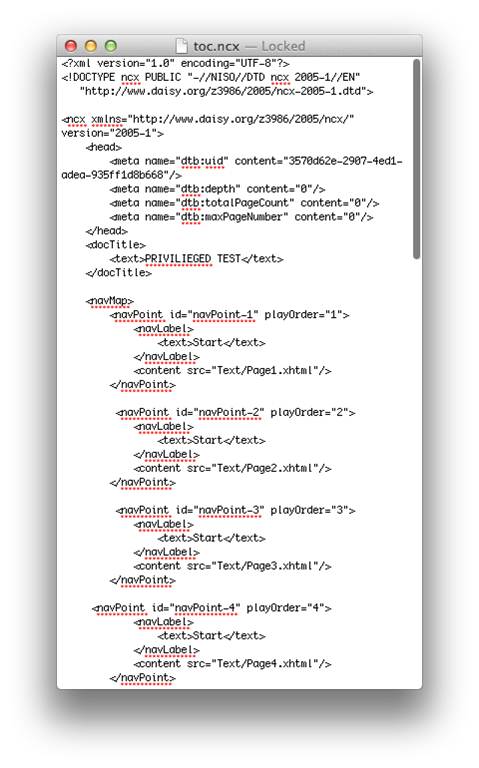
toc.ncx file
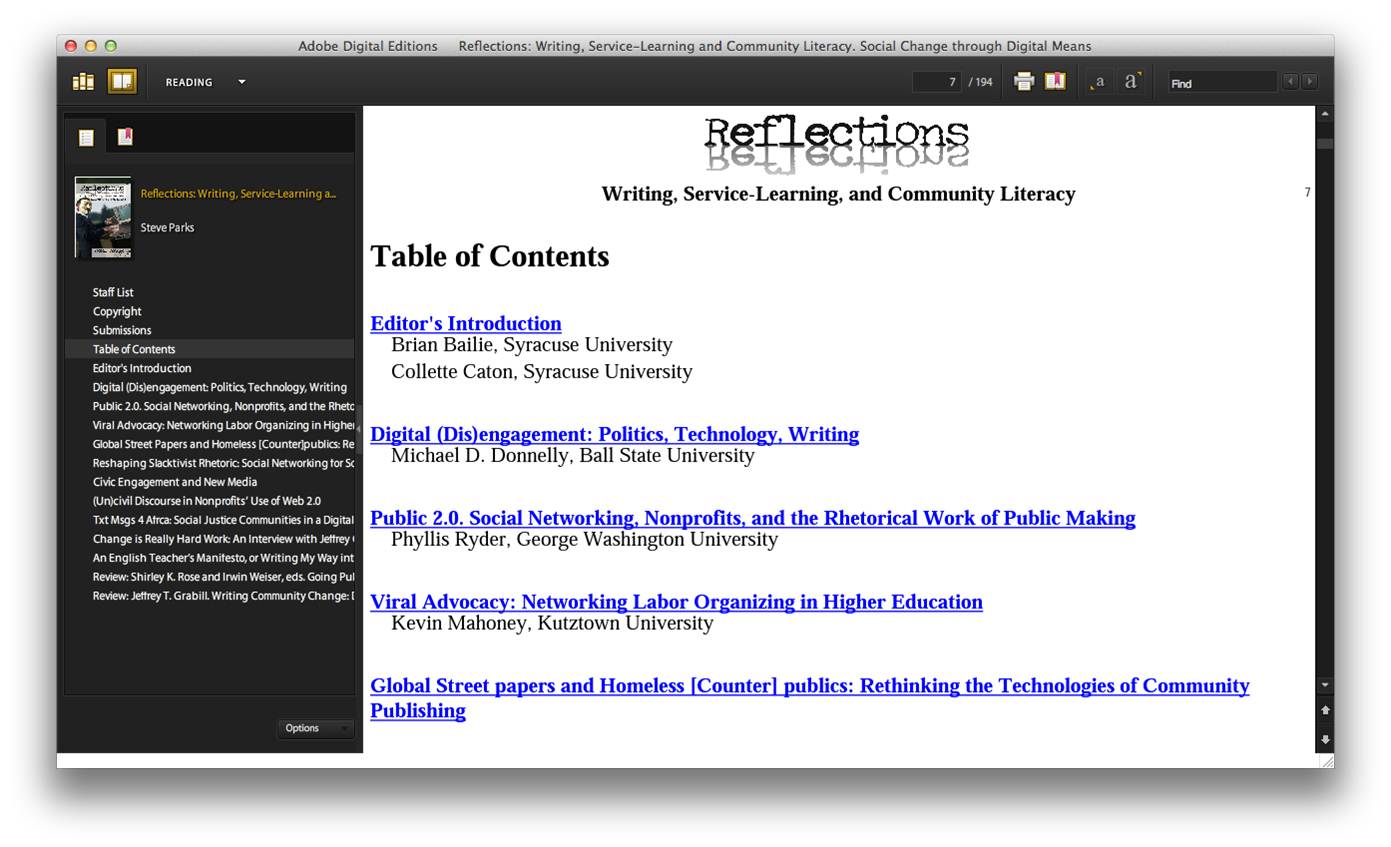
The toc.ncx file and toc.html file as they display in ADE
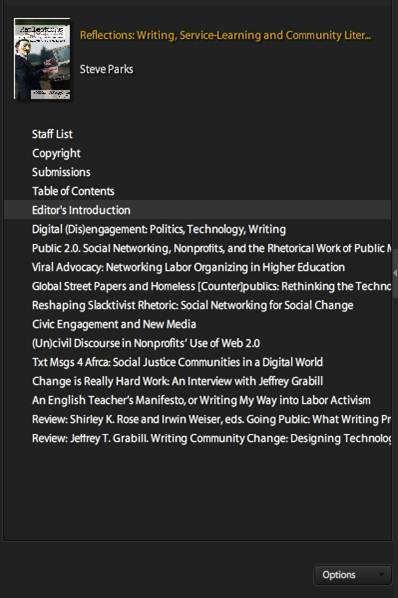
The toc.ncx file as it displays in the navigational column
.css
The Cascading Style Sheet or .css file is the file that tells the eReader how to display different elements in an ePUB. If functions just like cascading style sheets on Web pages.
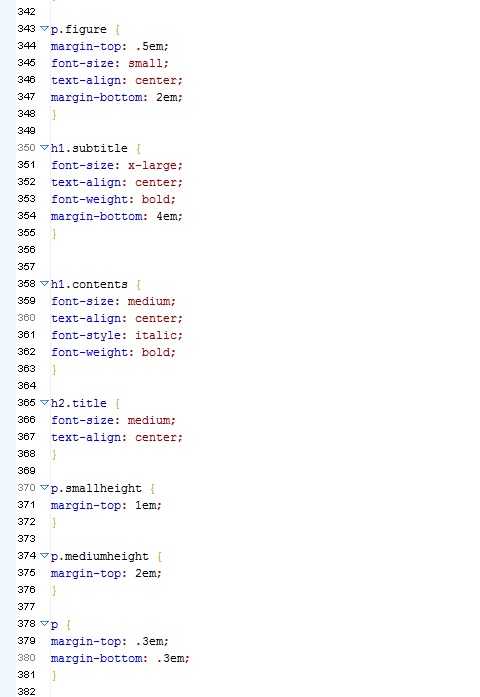
.css file
EPUB Problems/Controversies
The Future of EPUB
References
Tallent, Joshua. “eBook Architects Workshop: EPUB 3.” eBook Architects, Austin, TX. 20 September 2011. Presentation.
“EPUB | International Digital Publishing Forum.” International Digital Publishing Forum | Trade and Standards Organization for the Digital Publishing Industry. N.p., n.d. Web. 15 Nov. 2011. <http://idpf.org/epub>.
“MobileRead Wiki – ePub.” MobileRead. N.p., n.d. Web. 15 Nov. 2011. <http://wiki.mobileread.com/wiki/EPub>.
“MobileRead Wiki – ePub 3.” MobileRead. N.p., n.d. Web. 15 Nov. 2011. <http://wiki.mobileread.com/wiki/EPub_3>.
Iris Febres is a second-year graduate student at Emerson College, studying electronic publishing. She recently completed her master’s project: a digital, graphic novella optimized for electronic readers. She writes a blog on news in digital publishing, and while she’s not in class or doodling on napkins, she’s probably on Twitter where her handle is @ePubPupil. You can see images from her master’s project at here.
[…] > Matthew lives in Evanston (NU Wildcats) but follows Michigan State football > An EPUB Primer written by @epubpupil in EPUBSecrets.com > David’s article about PrintUI.com will be in […]
[…] Want to learn more about EPUB, and especially what’s inside that little epub file? Check out this great primer at epubsecrets.com! […]
Thanks, this was very helpful. Clear and easy to understand. I am looking forward to having my students write epubs. If you don’t mind I would like to refer to this cite it as a reference.
[…] <li><a href=”http://epubsecrets.com/epub-the-language-of-ebooks-a-primer.php” title=”ePub Primer” target=”_blank”>Primer on ePub […]
Stop dreaming and start doing A strong hope can make your dreams come true